Have you ever received a message that mentioned RCS or noticed your phone saying “Chat” instead of “SMS”? If so, you may have wondered, what does RCS mean in text?
You’re not alone. As more Android devices and even some cross-platform messaging features adopt RCS, the term has become much more common. But unlike internet slang such as “LOL” or “BRB,” RCS isn’t a texting abbreviation. It’s a messaging technology that makes texting smarter and more interactive.
In this guide, you’ll learn exactly what RCS means in text, how it works, where it’s used, and why so many people are switching to it.
What Does RCS Mean in Text?
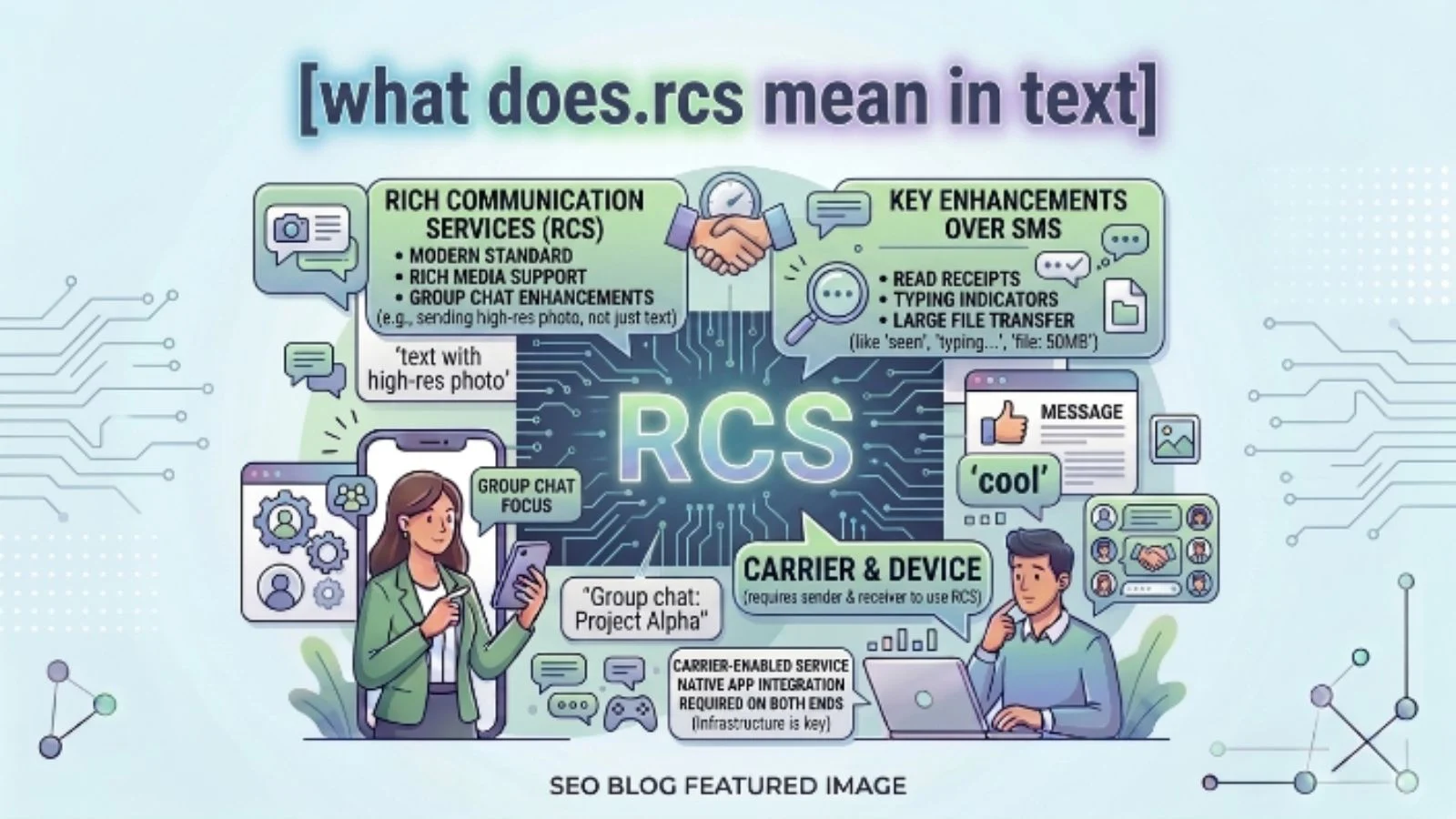
RCS stands for Rich Communication Services.
It is a modern messaging standard that improves traditional SMS (Short Message Service) and MMS (Multimedia Messaging Service). RCS lets you send messages with features similar to popular messaging apps like WhatsApp or iMessage.
Quick Definition
RCS means Rich Communication Services, a modern texting technology that supports read receipts, typing indicators, high-quality media sharing, group chats, and internet-based messaging.
Unlike SMS, RCS uses an internet connection (Wi-Fi or mobile data) instead of relying only on your cellular network.
Simple Meaning of RCS
Think of it this way:
- SMS is like sending a basic letter.
- RCS is like having a full conversation through a modern messaging app.
With RCS, you can:
- Send larger photos
- Share high-quality videos
- Know when someone is typing
- See when your message has been read
- Create better group chats
- React to messages
In simple words, RCS makes texting smarter, faster, and more enjoyable.
What Does RCS Mean in Texting?
When someone says:
“We’re chatting through RCS.”
They simply mean they’re using the newer messaging standard instead of regular SMS.
You might also see:
- RCS Chat
- Chat Features
- Rich Messaging
- Advanced Messaging
All of these generally refer to the same technology.
Where Is RCS Used?
RCS is becoming available on many devices and messaging apps.
Common places include:
- Android Messages (Google Messages)
- Samsung Messages (supported devices)
- Mobile carriers supporting RCS
- Business messaging services
- Customer support chats
Many Android phones automatically enable RCS after setup if your carrier supports it.
Why Do People Use RCS?
People prefer RCS because it offers a much better messaging experience.
Some major benefits include:
Better Media Sharing
Photos stay much clearer than MMS.
Read Receipts
You can see whether someone has opened your message.
Typing Indicators
Know when the other person is replying.
Group Conversations
Group chats are more reliable and organized.
Internet Messaging
Messages can be sent through Wi-Fi or mobile data.
Business Communication
Many companies now use RCS to send:
- Delivery updates
- Boarding passes
- Appointment reminders
- Promotional offers
- Customer support messages
Features of RCS Compared to SMS
| Feature | SMS | RCS |
|---|---|---|
| Internet required | No | Yes |
| Read receipts | No | Yes |
| Typing indicator | No | Yes |
| High-quality images | No | Yes |
| High-quality videos | No | Yes |
| Group chats | Basic | Advanced |
| Message reactions | No | Yes |
| File sharing | Limited | Better |
| Rich business messages | No | Yes |
As you can see, RCS offers many improvements over traditional texting.
Real-Life Examples of RCS
Let’s look at some practical situations.
Example 1
Sarah sends her friend:
“I’m outside.”
A few seconds later she sees:
Read
This tells her the friend has opened the message.
Explanation: Read receipts are an RCS feature.
Example 2
Mike sends vacation photos.
The pictures arrive in full quality instead of blurry.
Explanation: RCS supports better image sharing than MMS.
Example 3
A pizza restaurant sends:
Your order is on the way.
The message includes:
- Delivery tracking
- Business logo
- Quick reply buttons
Explanation: Businesses use RCS for interactive customer messages.
Example 4
Emma notices three moving dots before receiving a reply.
Explanation: Those typing indicators are available with RCS messaging.
What Does RCS Mean on Android?
If you’re using Android, you may see:
- Chat Features
- RCS Chat
- Rich Communication Services
This simply means your phone supports enhanced messaging.
When both people have RCS enabled, conversations automatically use RCS instead of SMS whenever possible.
If RCS isn’t available, the phone usually falls back to standard SMS or MMS.
What Does RCS Mean on iPhone?
Traditionally, iPhones used:
- iMessage
- SMS
- MMS
As RCS adoption has expanded, support has begun appearing to improve messaging between iPhone and Android users where available.
The exact experience depends on:
- Device software
- Carrier support
- Regional availability
RCS vs SMS
Many people confuse these two.
| RCS | SMS |
|---|---|
| Uses internet | Uses cellular network |
| Better quality media | Compressed media |
| Typing indicators | No typing status |
| Read receipts | No read receipts |
| Modern messaging | Basic texting |
| Interactive features | Simple text only |
Think of SMS as older technology and RCS as its modern replacement.
RCS vs MMS
Another common comparison is MMS.
| RCS | MMS |
|---|---|
| High-quality media | Lower quality |
| Larger files | Small attachments |
| Internet-based | Cellular network |
| Better group chats | Basic group messaging |
| More reliable features | Limited features |
Why Isn’t Everyone Using RCS?
Although RCS is growing rapidly, not everyone uses it.
Reasons include:
- Older phones
- Unsupported carriers
- Disabled chat features
- Internet connection unavailable
- Some messaging apps don’t support RCS
If either person cannot use RCS, the conversation usually switches to SMS or MMS.
How Do You Know If You’re Using RCS?
Here are some clues.
You may notice:
- “Chat message” instead of “Text message”
- Read receipts
- Typing indicators
- Better photo quality
- End-to-end encryption in supported one-to-one chats
- Message reactions
These signs usually indicate you’re using RCS instead of SMS.
Should You Use RCS?
For most people, yes.
RCS provides:
- Better conversations
- Faster media sharing
- Modern messaging features
- Easier group chats
- Improved communication
As long as your phone and carrier support it, RCS generally offers a much better texting experience than traditional SMS.
Common Misunderstandings About RCS
Many people misunderstand what RCS actually is.
Misunderstanding 1
RCS is internet slang.
Not true.
It is a messaging technology, not a texting abbreviation.
Misunderstanding 2
RCS is an app.
No.
It is a communication standard built into supported messaging apps.
Misunderstanding 3
RCS completely replaces SMS.
Not always.
If RCS isn’t available, messages often fall back to SMS or MMS.
Misunderstanding 4
RCS only works on Wi-Fi.
Incorrect.
It works using either:
- Wi-Fi
- Mobile data
Pro Tips for Using RCS
Follow these tips for the best experience.
- Enable Chat Features in your messaging app.
- Keep your messaging app updated.
- Use Wi-Fi when sending large photos or videos.
- Check whether your carrier supports RCS.
- Don’t panic if messages switch to SMS—it usually happens when RCS isn’t available.
- Remember that both participants generally need RCS enabled to enjoy all advanced features.
When Should You Use RCS?
RCS is ideal for:
- Daily conversations
- Family group chats
- Sharing travel photos
- Sending videos
- Business updates
- Event planning
- School or work discussions
If both users support RCS, it provides a much richer messaging experience than standard texting.
Related Terms You May See
While learning about RCS, you might also encounter:
- SMS
- MMS
- Chat Features
- Read Receipts
- Typing Indicators
- Rich Messaging
- End-to-End Encryption
- Mobile Messaging
- Group Chat
- Internet Messaging
These terms are all closely connected to modern texting.
Final Thoughts
If you’ve been asking, “What does RCS mean in text?”, the answer is simple.
RCS stands for Rich Communication Services, a modern messaging standard that upgrades traditional texting with features like high-quality media sharing, read receipts, typing indicators, better group chats, and internet-based messaging.
As more phones and carriers support RCS, it’s quickly becoming the future of everyday texting. Understanding how it works helps you make the most of your messaging experience and recognize why conversations today feel much more like using a dedicated chat app than sending old-fashioned text messages.
Frequently Asked Questions
Does RCS mean the same as SMS?
No. SMS is traditional text messaging, while RCS is an upgraded messaging standard with many advanced features.
Is RCS free to use?
RCS typically uses your Wi-Fi or mobile data connection. It usually does not charge per message like traditional SMS plans, though data usage may apply depending on your mobile plan.
Can I turn off RCS?
Yes. Most supported messaging apps let you enable or disable Chat Features in the settings.
Does RCS work without the internet?
No. RCS requires either Wi-Fi or mobile data. If an internet connection isn’t available, messages may be sent as SMS or MMS instead.