If you’ve received a message saying “I’ll send it by MMS” or noticed MMS in your messaging app, you may wonder what it means.
The short answer is:
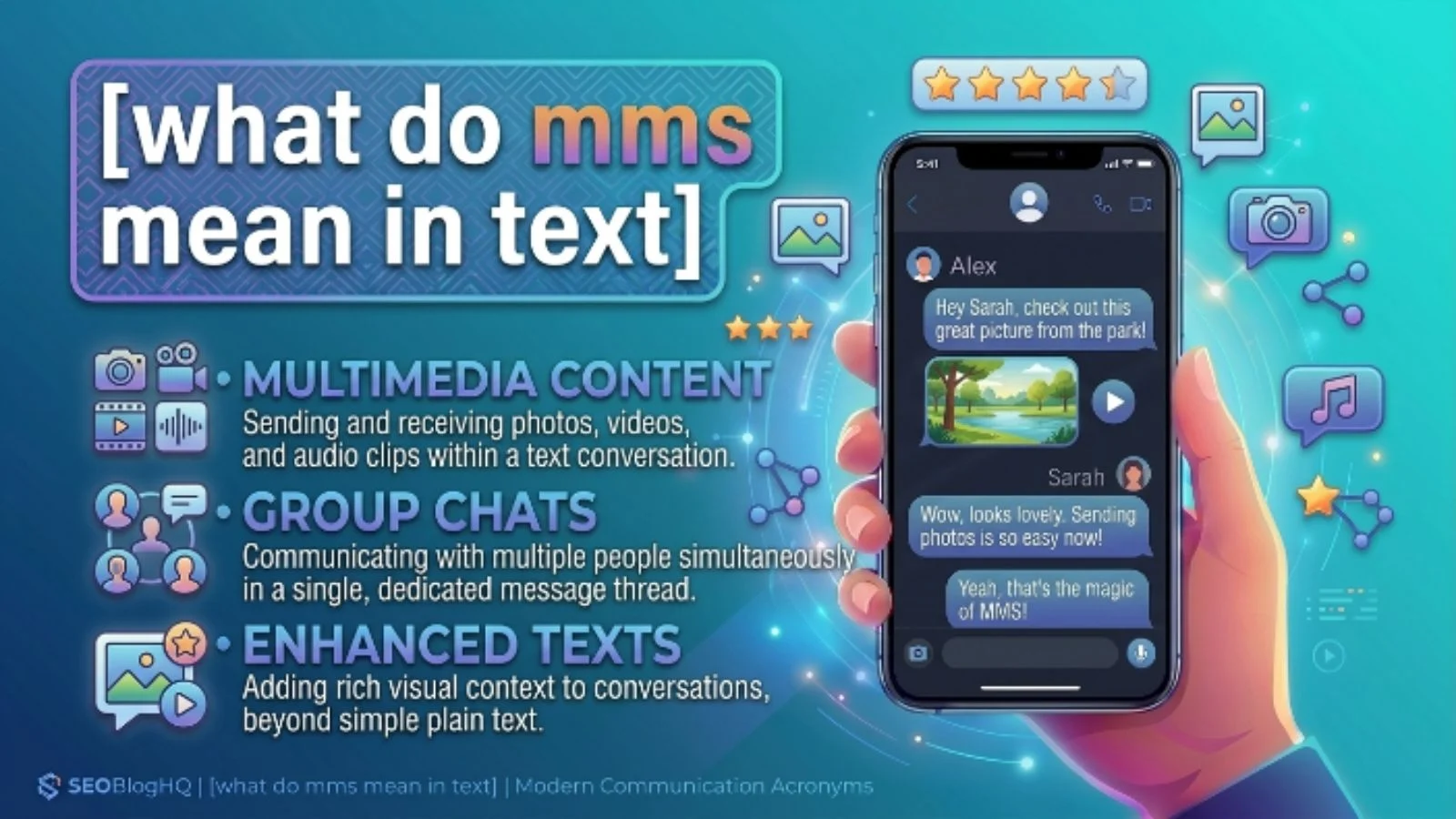
MMS means “Multimedia Messaging Service.”
It is a type of text message that allows people to send photos, videos, GIFs, audio files, documents, contact cards, and group messages, unlike a regular SMS that mainly carries text.
In 2026, many people use apps like WhatsApp, Messenger, Instagram, and iMessage. However, MMS is still used when sending multimedia through a mobile network, especially between different phone brands or when internet messaging isn’t available.
What Does MMS Mean in Simple Words?
MMS stands for Multimedia Messaging Service.
Think of it like this:
- SMS = Text only
- MMS = Text + Pictures, Videos, or Other Media
If someone says:
“I sent you an MMS.”
They simply mean:
“I sent you a message with a photo, video, or another media file.”
Quick Definition Table
| Term | Full Form | Meaning |
|---|---|---|
| MMS | Multimedia Messaging Service | A text message containing media like photos, videos, or audio |
| SMS | Short Message Service | A standard text-only message |
What Is MMS Used For?
People use MMS when they want to send more than plain text.
Common uses include:
- Sharing photos
- Sending short videos
- Sending voice recordings
- Sharing contact information
- Sending GIFs
- Sending stickers
- Sending documents (supported by some carriers)
- Group messaging
Because MMS works through your mobile carrier instead of internet-based messaging apps, it is useful when both people do not use the same chat app.
Origin and History of MMS
MMS was introduced in the early 2000s as an upgrade to SMS.
Before MMS existed, mobile phones could only exchange short text messages.
As phones improved and cameras became common, users wanted to send:
- Photos
- Music
- Videos
This led to the creation of Multimedia Messaging Service.
Today, although messaging apps have become more popular, MMS is still supported by most mobile carriers around the world.
How MMS Works
When you send an MMS:
- You attach a picture, video, or another file.
- Your phone uploads it through your mobile network.
- Your carrier delivers it to the recipient.
- The recipient downloads and views the media.
Unlike internet messaging apps, MMS usually requires:
- Mobile service
- MMS settings enabled
- Carrier support
MMS vs SMS
| Feature | MMS | SMS |
|---|---|---|
| Text | Yes | Yes |
| Photos | Yes | No |
| Videos | Yes | No |
| Audio | Yes | No |
| GIFs | Yes | No |
| Internet Required | Usually No | No |
| Mobile Carrier | Yes | Yes |
Real-Life Examples of MMS in Text
Example 1
Alex: Send me your holiday pictures.
Emma: Sure, I’ll send them as MMS.
Explanation:
Emma is sending photos through Multimedia Messaging Service.
Example 2
Dad: Did you receive the birthday video?
Son: Yes, your MMS came through.
Explanation:
The message included a video instead of only text.
Example 3
Teacher: I’ll send today’s classroom photo by MMS.
Student: Thanks!
Explanation:
The teacher is sharing an image using MMS.
Example 4
Friend 1: Why didn’t your picture arrive?
Friend 2: My MMS settings were turned off.
Explanation:
The multimedia message couldn’t be delivered because MMS wasn’t enabled.
Example 5
Sarah: Check the invitation.
Lily: Got it. The MMS looks great.
Explanation:
Sarah sent an image invitation through MMS.
Short Conversations Using MMS
Conversation 1
Jake: Can I see the puppy photo?
Olivia: I’ll send it by MMS.
Jake: Great!
Explanation:
Olivia is sending a photo message.
Conversation 2
Ben: I only got the text.
Chris: Really? The picture was in the MMS.
Explanation:
Chris expected Ben to receive both the text and the image.
Conversation 3
Anna: Did my video open?
Lisa: Yes, your MMS worked perfectly.
Explanation:
The multimedia message was delivered successfully.
Why People Still Use MMS in 2026
Although apps like WhatsApp and Telegram are very popular, MMS remains useful because:
- It works with most mobile phones.
- No special app is required.
- It supports photo sharing through your carrier.
- It is useful when internet access is limited.
- It helps communicate between Android and older mobile devices.
Personality Traits of People Who Use MMS
Using MMS does not define someone’s personality, but people who use it often may:
- Prefer simple communication
- Like sharing memories with photos
- Use traditional texting
- Communicate with family members
- Want messages that work without installing extra apps
These are common situations rather than fixed personality traits.
When Should You Use MMS?
MMS is useful when:
- Sending family photos
- Sharing event invitations
- Sending short videos
- Messaging people without internet apps
- Sending images through your phone’s messaging app
When Should You Avoid MMS?
Avoid MMS if:
- The file is very large.
- You need high-quality video.
- You have limited mobile data.
- You want end-to-end encryption.
- You need to send many files at once.
Apps like WhatsApp or email may be better in these situations.
Common Places You’ll See MMS
You may notice MMS in:
- Android Messages
- Samsung Messages
- Google Messages
- Carrier text messaging
- iPhone Messages
- Mobile settings
- Mobile bills
Different Meanings of MMS
Although Multimedia Messaging Service is the most common meaning in texting, MMS can have other meanings depending on the topic.
| Context | Meaning |
|---|---|
| Text messaging | Multimedia Messaging Service |
| Business | Manufacturing Management System |
| Education | Master of Management Studies |
| Medicine | Different medical abbreviations depending on context |
| Technology | Various technical abbreviations |
Always look at the conversation to understand which meaning is intended.
How to Reply When Someone Says “I’ll Send an MMS”
You can reply with:
- “Okay, I’ll check it.”
- “Thanks, I’ll look for it.”
- “I received it.”
- “The picture came through.”
- “I got the video.”
Common Mistakes About MMS
Thinking MMS Means Internet Messaging
Many people think MMS uses Wi-Fi.
Actually, MMS usually uses your mobile carrier’s network.
Confusing MMS with SMS
SMS only contains text.
MMS supports media like pictures and videos.
Assuming Every Picture Message Is MMS
Some picture messages are actually sent through internet messaging apps like WhatsApp or iMessage, not MMS.
Believing MMS Is Obsolete
While internet messaging is more common today, MMS is still supported and used by many mobile carriers in 2026.
Modern Examples (Updated for 2026)
Example 1
“My grandmother sent our family reunion photo by MMS.”
Explanation: She used her phone’s normal messaging app instead of an internet chat app.
Example 2
“My internet wasn’t working, so I used MMS.”
Explanation: MMS can still work through the mobile carrier.
Example 3
“The doctor sent appointment instructions with an image by MMS.”
Explanation: Some services still use MMS to send helpful images.
Example 4
“I received a birthday card as an MMS.”
Explanation: The greeting arrived as a picture message.
Example 5
“Our school sent the event poster through MMS.”
Explanation: The message included an image instead of plain text.
Benefits of MMS
- Easy to use
- Supports multimedia
- No additional app required
- Works on many phones
- Good for sharing quick photos
- Useful for group messaging
Limitations of MMS
- Lower media quality than some apps
- File size limits
- May use mobile data
- Delivery can be slower
- Depends on carrier settings
Tips for Using MMS
- Keep videos short.
- Compress large photos if needed.
- Enable mobile data when sending.
- Check your MMS settings if messages fail.
- Update your messaging app regularly.
Related Texting Terms
Understanding these terms can help you communicate better.
| Abbreviation | Meaning |
|---|---|
| SMS | Short Message Service |
| MMS | Multimedia Messaging Service |
| DM | Direct Message |
| PM | Private Message |
| GIF | Animated image |
| OTP | One-Time Password (or One True Pairing, depending on context) |
| LOL | Laugh Out Loud |
| BRB | Be Right Back |
Frequently Asked Questions
1. What do MMS mean in text?
MMS means Multimedia Messaging Service, allowing users to send photos, videos, audio, and other media through their mobile carrier.
2. Is MMS the same as SMS?
No. SMS is for text-only messages, while MMS supports multimedia content such as pictures and videos.
3. Does MMS require the internet?
Usually, MMS works through your mobile carrier’s network rather than Wi-Fi, although mobile data is often needed for sending and receiving.
4. Can iPhones and Android phones use MMS?
Yes. Both Android and iPhone devices support MMS when it is enabled by the carrier.
5. Why is my MMS not sending?
Common reasons include disabled mobile data, incorrect MMS settings, weak network coverage, or file size limits.
6. Is MMS still used in 2026?
Yes. Although messaging apps are more popular, MMS is still widely available and useful for sending multimedia through standard mobile messaging.
Conclusion
MMS stands for Multimedia Messaging Service, a feature that allows you to send much more than plain text. Whether you’re sharing family photos, short videos, invitations, or voice recordings, MMS remains a practical option when using your phone’s built-in messaging app. While modern messaging platforms have become the preferred choice for many people, MMS continues to play an important role because it works across most mobile devices without requiring everyone to use the same app. Understanding the difference between MMS and SMS helps you communicate more effectively and troubleshoot common messaging issues. As new communication technologies continue to evolve in 2026, knowing these basic texting terms makes everyday conversations easier and more enjoyable.